


Camy — Live Video CCTV
4.5763.00 Reviews
App Specs
- Version
- 6.1.3
- Updated On
- License
- Free
- Downloads
- 1,000,000+
- Developer
- Prometheus Interactive LLC
- Categories
- House & Home
- Platform
- Android, iOS
Screenshots
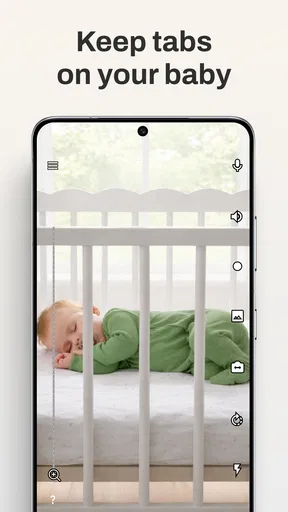
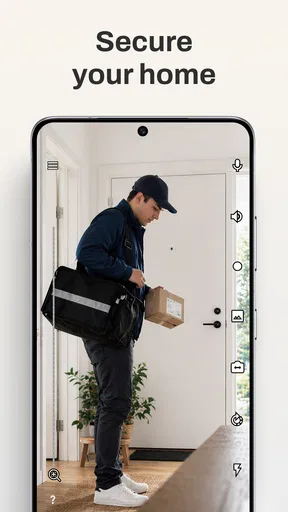
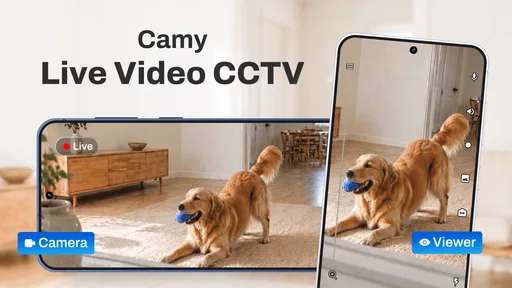
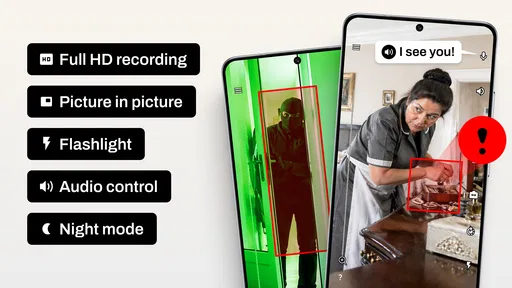
 Analysis by AppCompare
Ever had that sneaky feeling you left the stove on or wondered what your pet is up to when you're not home? Enter Camy — Live Video CCTV, an app that turns your old smartphones into a handy security tool. I've been fiddling with it for a bit, and here's the scoop.
Setting Up Your DIY Security System
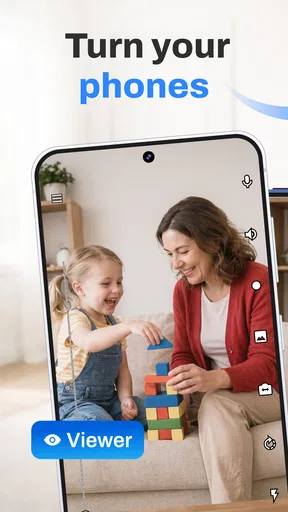
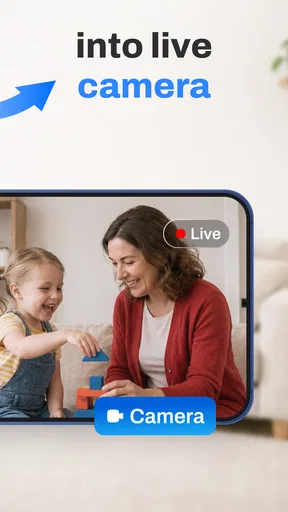
First things first, let's talk about how ridiculously easy it is to set up Camy — Live Video CCTV. Seriously, if you can use a smartphone, you can set this up. Just download the app on two devices—one to be your camera and the other to view the live feed. It's compatible with both Android and iOS, so no worries if you’re a mixed-device household.
Once you’ve installed the app, it’s just a matter of logging in with the same account on both devices. The interface is clean and intuitive. I didn’t need a manual to figure it out, which is always a win in my book. Just a few taps and I had a live feed running. Easy peasy!
Features That Stand Out
Now, onto the juicy bits. This app isn’t just about watching your living room in real-time. It’s packed with features that genuinely surprised me. For starters, the motion detection feature is a game-changer. You can set it to alert you whenever there’s movement in the camera’s view. No more paranoia about what’s happening at home. You’ll get an alert, and you can check in to see if it’s just the cat or something more sinister.
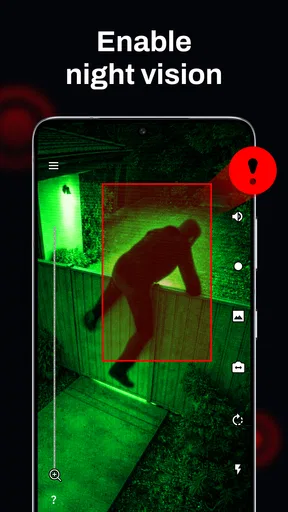
The night vision mode is another nifty addition. I tested it in a pitch-black room, and the clarity was impressive. It’s not military-grade, but for an app using a smartphone camera, it’s pretty darn good. Plus, you can record footage directly to the camera device, which is great if you need to review what happened while you were away.
Why It’s Worth Checking Out
One of the things I love about Camy is its flexibility. You can set up multiple cameras around your home, and switch between them effortlessly on your viewer device. It’s like having a full security system without the hefty price tag.
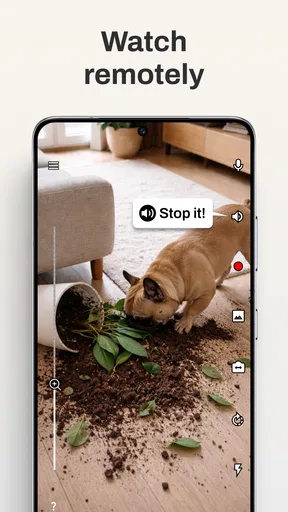
Another feature that caught my eye is the two-way audio. Ever wanted to talk to your pet while you’re at work? Or maybe yell at the delivery guy to leave the package at the door? You can do that! It’s not perfect, but it works well enough to communicate basic messages.
Worth Reading Before You Choose

EA SPORTS FC Mobile 26 Is a Bigger Football Game, but It Takes Time

Flipboard Shows What News Apps Must Do Beyond the Feed

Switching to Android Auto Means Rethinking Your Driving Routine

Google Calendar Makes a Crowded Week Easier to Manage

Ludo King Makes the Most of the Minutes Between Plans

Baby Panda World Brings Quick Play to Modern Phones, but Its Game Library Feels Busy
Making the First Week Count
The first few days are when this kind of setup feels most exciting, but they’re also the best time to learn whether it fits your home. I’d start with one camera in a place where a check-in has a clear purpose: a pet’s usual resting area, for example, rather than a wide view of every room. A narrower view can make motion alerts easier to interpret and helps you avoid turning ordinary activity into a stream of interruptions.
Before relying on it while you’re away, I’d test the whole routine from another room or outside the home: open the viewer, check the image, try the audio, and confirm that the camera stays connected. A quick test while you’re nearby is more useful than discovering a weak connection after leaving. I’d also check the picture at the times you actually care about. Daylight, lamps at night, and a dark room can produce very different results, so the camera’s position matters as much as the app’s viewing tools.
How It Fits Everyday Home Life
For a realistic routine, imagine leaving for work while a dog stays home. I’d place an older phone where it can show the dog’s main resting spot, connect it to power, and use the viewer for occasional checks rather than keeping the live picture open all day. If a motion alert arrives, I can look first and use two-way audio for a brief, calm message if it makes sense. That’s a practical use of the app’s tools; it is not a substitute for someone checking on an animal that needs care, exercise, or immediate help.
The same approach can help when you want to see whether a room is being used or check on a delivery area, but there’s a trade-off: a camera only tells you what falls within its view. A phone pointed at a doorway won’t show what is happening elsewhere, and a notification can tell you that something moved without explaining why. I’d treat alerts as prompts to look, not as proof that a particular event happened.
Month-to-Month Value
The lasting value depends less on the novelty of watching a live feed and more on whether you have a repeat reason to open it. A pet owner with a regular workday may get more from it than someone who only checks the house once in a while. If you have several old phones, using them as separate viewpoints can make the setup more useful, but it also means deciding which views matter and keeping each device ready.
Camy is a House & Home app from Prometheus Interactive LLC. It is free to download, has an average rating of 4.6 from around 23,000 ratings, and has been installed over a million times. The app is rated for Everyone, and its current version is 5.2.8, with Android 6.0 as the minimum operating system requirement. Those details make it approachable for many households, but they do not change the practical question: will you use the camera often enough to justify keeping a spare phone set up?
Compared with buying a dedicated home camera, reusing a phone can be an appealing low-cost way to try remote viewing without purchasing new hardware. A dedicated device may be a better fit if you want a purpose-built camera that can stay in place without tying up a phone. Compared with simply asking a neighbor to check in, Camy gives you a view and a way to communicate, but it depends on the phones and their connection being available when you need them. I see it as a useful middle ground, not a complete replacement for every kind of home monitoring.
Maintenance Without Turning It Into a Chore
The camera phone is the part most likely to need attention. I’d keep it plugged in for longer sessions, set it on a stable surface, and make sure its lens has a clear view. A phone that gets moved, runs low on power, or is left with the camera facing a wall stops being useful even if the viewer is ready. It’s worth making a simple habit of checking the camera’s position and power before leaving, rather than assuming yesterday’s setup is still working.
There is also a privacy and household-comfort side to maintenance. I’d choose a camera angle deliberately, tell other people at home where it is being used, and avoid pointing it at spaces where a live view would feel intrusive. If the purpose is checking on a pet, frame the pet’s usual area instead of capturing more of the home than needed. That small decision can make the setup easier to live with and more respectful of everyone sharing the space.
For longer-term use, I’d review the app and device setup occasionally instead of treating the first successful connection as permanent. Try the viewer before an important trip, confirm the camera is still in the right place, and make sure you know how to switch between the views you actually use. These are ordinary checks, not complicated technical maintenance, but they help prevent a casual DIY arrangement from creating false confidence.
Little Things I Noticed
While Camy is pretty great, it’s not without its quirks. The app can sometimes be a bit of a battery hog on the camera device. I’d recommend keeping it plugged in if you’re planning to use it for extended periods.
Also, the free version has limited features. You might want to consider upgrading to the premium version if you’re going to use it regularly. It’s not expensive, but it’s something to keep in mind if you’re on a tight budget.
The app is free, but it offers in-app purchases ranging from $0.99 to $99.99 per item, so I wouldn’t assume every option is included at no cost. I’d begin with the free experience and decide whether a paid feature solves a specific recurring need before spending anything. If you only want an occasional glance at home, paying for extras may not be worthwhile; if you rely on the setup regularly, compare the available purchase carefully with the value you expect to get.
When Another Choice Makes More Sense
I wouldn’t choose this arrangement as my only layer of protection for a home that needs dependable, continuous security. It relies on spare phones, power, connectivity, and a person noticing and responding to what they see. If you need a system designed around dedicated hardware or a more formal security setup, a purpose-built alternative is a better starting point. Camy is strongest when the goal is convenient, occasional observation—not when the consequences of a missed alert would be serious.
It may also be the wrong fit if you don’t have a spare device you’re comfortable leaving in place, or if you dislike keeping a phone plugged in and positioned for long periods. And while two-way audio can handle a short instruction, I wouldn’t expect it to replace an in-person conversation: background noise, distance from the phone, and the other person’s willingness to respond all affect whether it is useful. A quick “I’m checking in” is a more realistic use than trying to manage a complicated situation remotely.
Final Thoughts
All in all, Camy — Live Video CCTV is a solid choice for anyone looking to beef up their home security without breaking the bank. It’s user-friendly, packed with useful features, and offers peace of mind when you’re away from home. Whether you’re a tech newbie or a seasoned pro, this app is definitely worth a shot. Plus, repurposing old smartphones is a great way to recycle and reduce waste. So, if you’ve got some old devices lying around, why not put them to good use?
My longer-term verdict is positive with a clear condition: I’d keep it installed if I had a regular reason to check a pet or a particular room and a spare phone that could stay powered and positioned. Its value comes from making those small check-ins easy, not from turning an old phone into a full security system. If the setup becomes a nuisance, the alerts feel like noise, or you need stronger assurance than a phone-based view can offer, I’d move to a dedicated option instead.
Pros
- Easy to set up and use for beginners.
- Offers high-quality video streaming.
- Compatible with multiple devices.
- Includes motion detection alerts.
- No subscription required for basic features.
Cons
- Limited cloud storage options.
- Occasional connectivity issues.
- Lacks advanced customization settings.
- Ads can be intrusive at times.
- Requires stable internet connection.
FAQs for Camy — Live Video CCTV
What is Camy — Live Video CCTV and how does it work?
Camy — Live Video CCTV is a security app that transforms your smartphone or tablet into a surveillance camera. It allows you to monitor live video feeds from your devices, providing real-time footage and alerts. Users can set up multiple cameras, view them remotely, and receive notifications for any detected motion.
Is Camy — Live Video CCTV compatible with all devices?
Camy is compatible with both Android and iOS devices, offering flexibility across different platforms. However, it's essential to ensure your device meets the app's minimum system requirements for optimal performance. Always check the app store listing for compatibility details before downloading.
Does Camy — Live Video CCTV require an internet connection?
Yes, Camy requires a stable internet connection to stream live video feeds and send notifications. Both Wi-Fi and cellular data can be used, but a Wi-Fi connection is recommended for better video quality and to minimize data usage. Ensure your network is secure to protect your video streams.
What privacy features does Camy offer?
Camy prioritizes user privacy by implementing encryption for video streams, ensuring only authorized users can access the footage. Users can set up password protection and utilize secure login procedures. It's crucial to regularly update the app to benefit from the latest security features and improvements.
Are there any subscription fees for using Camy — Live Video CCTV?
Camy offers a free version with basic features, but there may be in-app purchases or subscription plans for advanced functionality. These might include enhanced storage options, higher resolution streaming, or additional camera support. Check the app store for detailed pricing information and choose the plan that best suits your needs.


